
Overview
If your company has Mileage Assist for use in Trella CRM, there are two reports that provide summaries and details of mileage for your users.
 There are three articles related to mileage tracking
- Prepping for Mileage Tracking - for account administrators to set up mileage tracking
- Using Mileage Tracking - for reps - set up and usage "how to's"
- Mileage Reporting - for managers - mileage reports - your lookin' at it
 In this article
Opening Mileage Assist reports
Use the following image to navigate to the Mileage Assist reports.
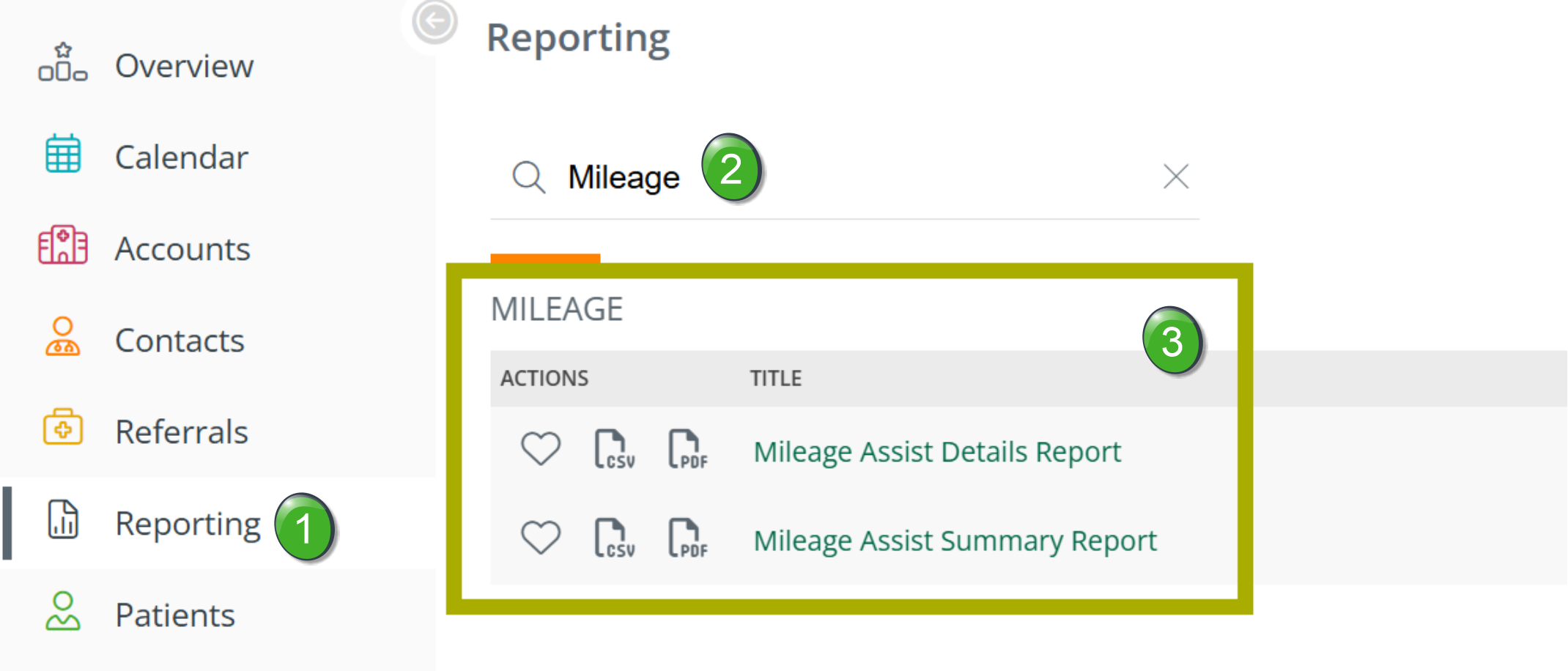
 Click on the "Reporting" button in the left navigation to open the Reporting page. Click on the "Reporting" button in the left navigation to open the Reporting page. |
 |
 Search or browse - Although you can scroll thorough the available reports, if you type "mileage" into the search field, the two Mileage Assist reports will be shown at the top of the reports list.
 If you intend to use one of these reports frequently, click on the heart icon
  to make the report a favorite. Then the report will always be at the top of the Reporting page in the Favorites section.
 The two reports are displayed as a result of the search.
- Click on the report name you want to display
Mileage Assist Details Report
This is the payroll report. A report that details each user's events and the mileage traveled for each visit.
Filters
The dropdown filters at the top of the page allow you to slice the data in the ways described below.
Filter Name |
Image |
|
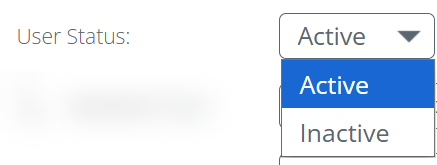
User Status - Select whether to show active users or inactive users in the report
|
 |
|
Marketer/User - Since the report shows day-by-day mileage records for a single user, that user needs to be selected.
|
 |
|
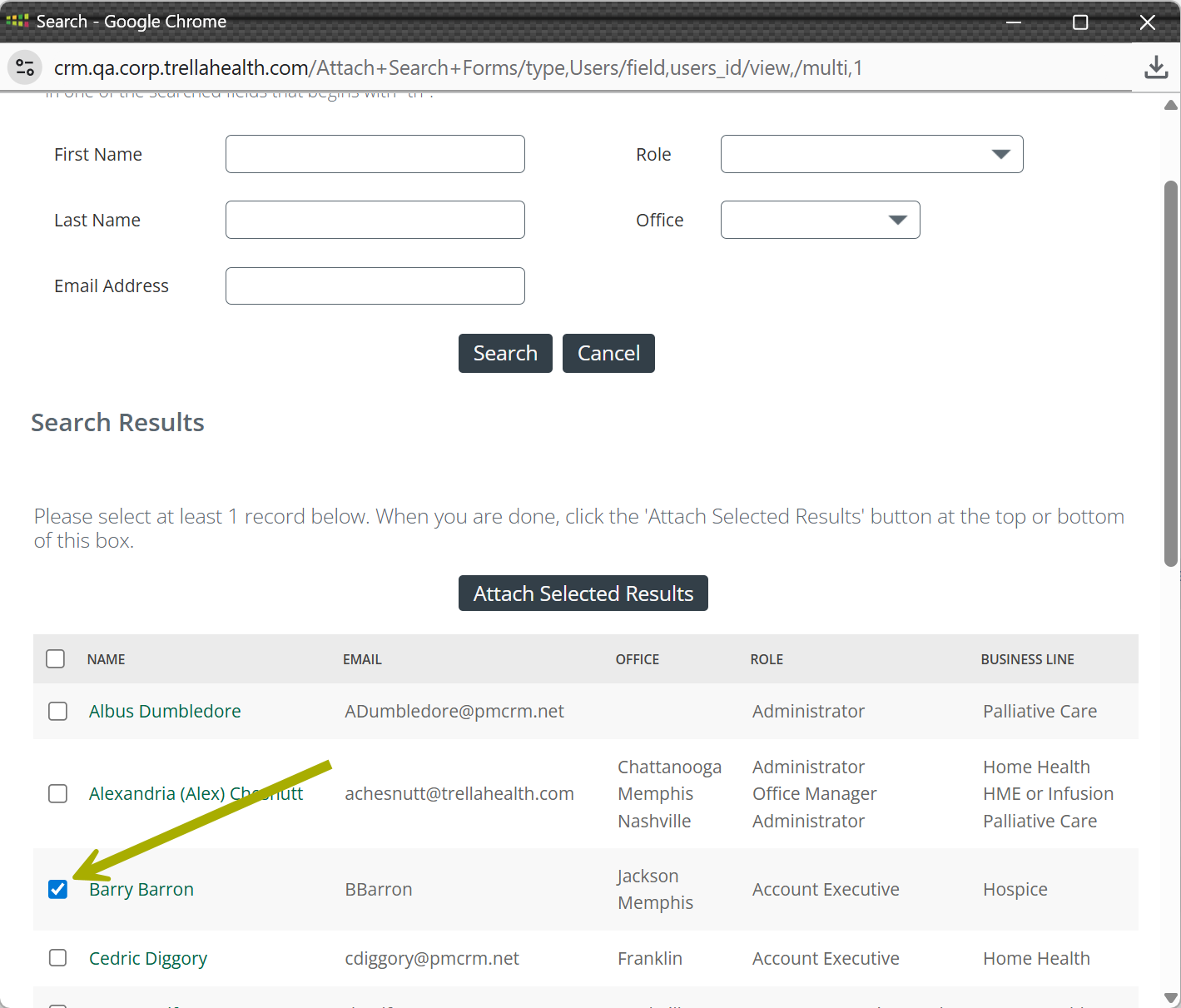
User Search - use this interface to select the user to be included in the report
|
 |
|
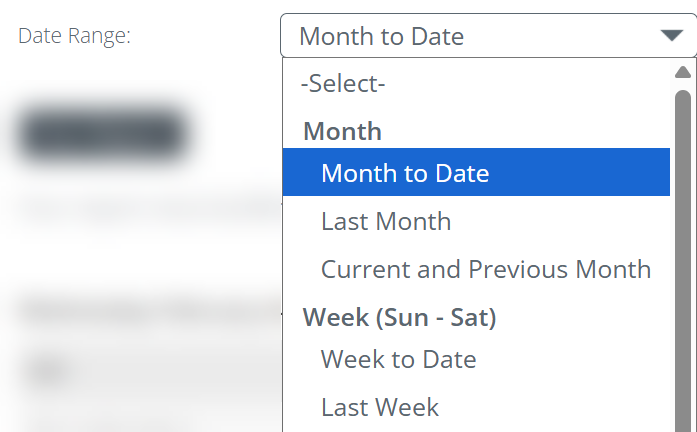
Date Range - use this filter to select the period for which you want to view data in the table.
|
 |
|
 |
 The image to the right shows that Barry Barron has already been selected. To choose another user, click on the magnifying glass icon
  to open the User Search
Understanding the Metrics
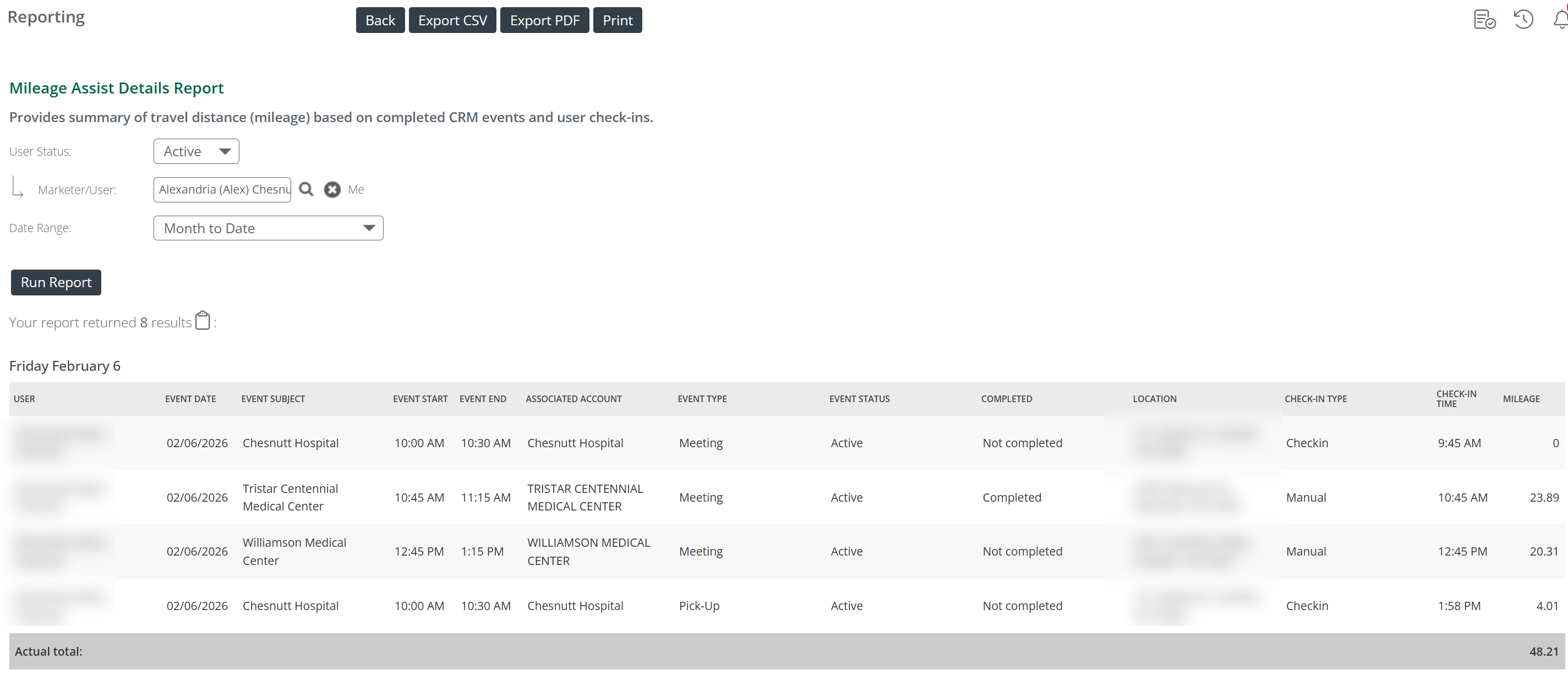
The following image shows a sample day from the Mileage Assist Details Report.
 Details to Notice
- In a full report, metrics for every day from the selected date range would be shown
- The total mileage for the day is reported in the bottom right of the table
Header List
Header Name |
Description |
|
| User | The name of the user for whom the metrics in the row apply | |
| Event Date | The date that the event took place | |
| Event Subject | The "name" of the event. This is a field in every event that appear in the calendar | |
| Event Start | The time the event started | If the event has been manually checked-in, the times reflect that manual check-in and will match. |
| Event End | The time the event ended | |
| Associated Account |
The account at which the event took place. This is the account for the event. The account's address is where the event occurred. |
|
| Event Type | Identifies the type of event. | |
| Completed | Identifies whether the event was completed or not completed | |
| Location | The account address | |
| Check-in Type | identifies whether the check-in for the event was "Check-in" or "Manual Check-in." | |
| Check-in Time | The time the Check-in was recorded | |
| Mileage | The mileage for the listed event. | |
Mileage Assist Summary Report
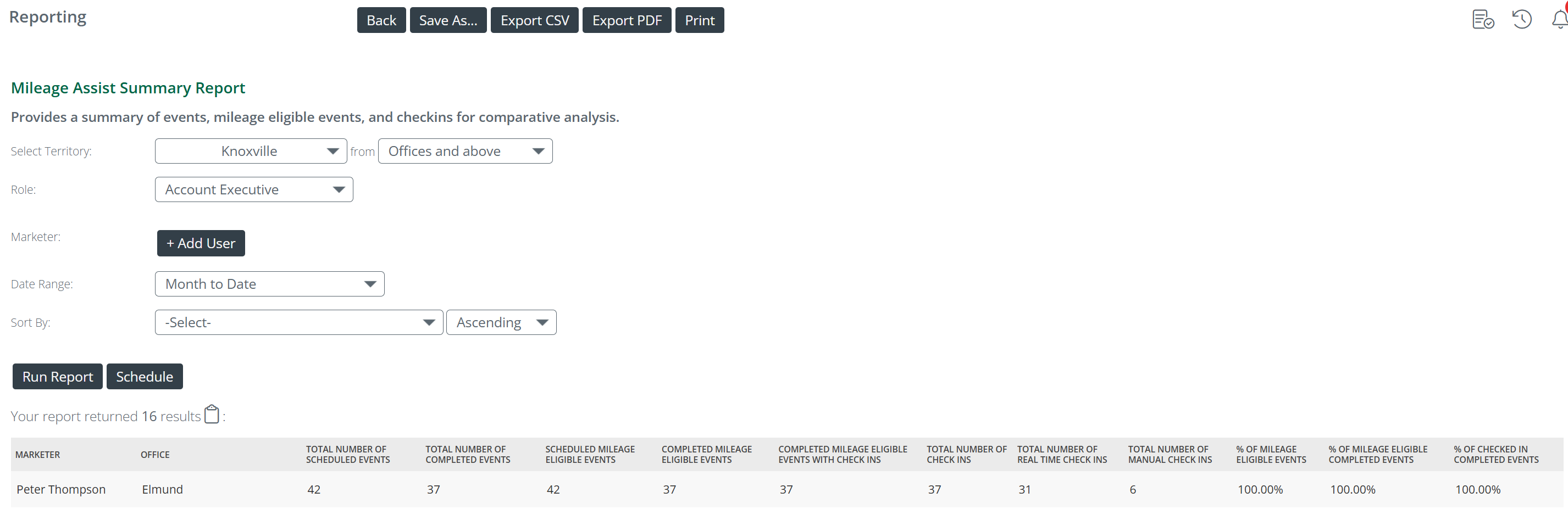
A report that highlights events and check-ins to aid with adoption.
Filters
The dropdown filters at the top of the page allow you to slice the data in the ways described below.
Filter Name |
Image |
|
Select Territory - This filter has two parts. Left dropdown - Choose a territory and a line of business. Depending on the tiered structure of your company and the lines of business you use in Trella CRM, there could be a lot of choices. In general, this will be a recognizable region or territory that your company uses. Right dropdown - This dropdown allows you to choose which locations in the selected territory to show.
|
 |
| Role - The first filter is focused on the location of the users to include in the report. This filter allows you to select the role for the employees you want to see in the report. | 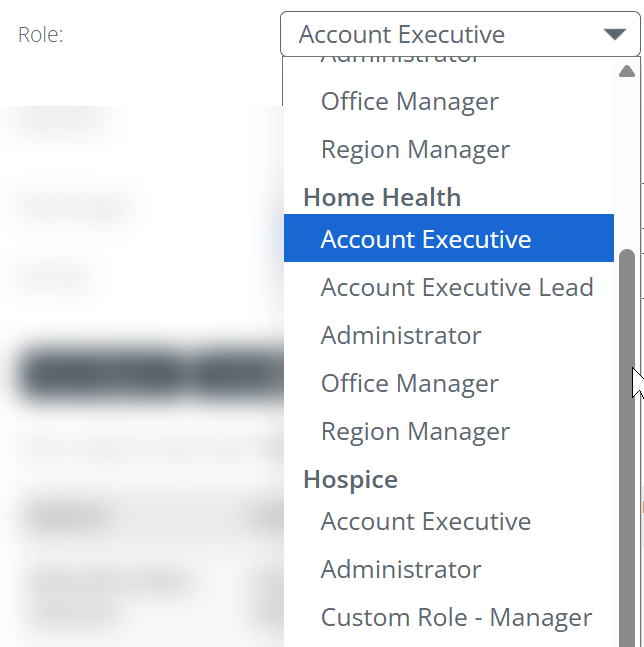 |
| Marketer - this field allows you to choose specific users to display in the table. You can choose one or more users. |  |
|
Add User/User Search - use this interface to select specific users to be included in the report
|
|
|
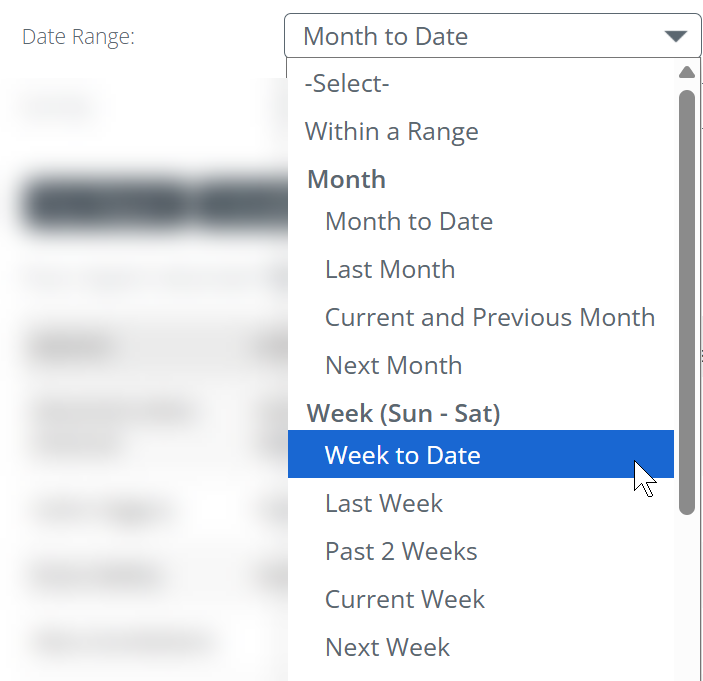
Date Range - use this filter to select the period for which you want to view data in the table.
|
 |
|
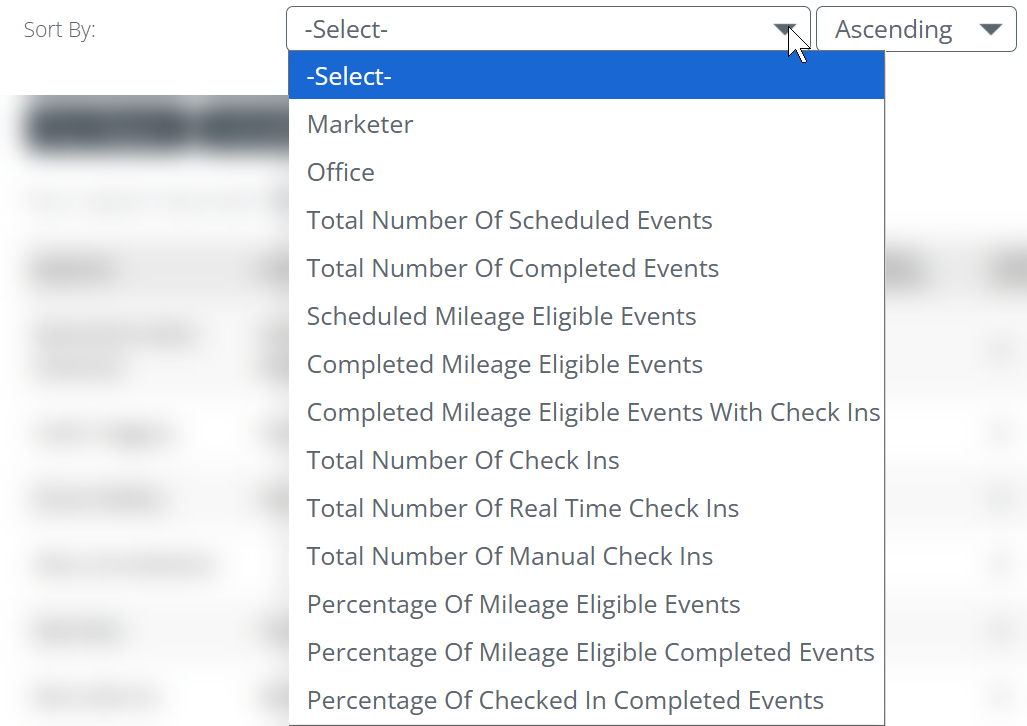
Sort - Use this filter to choose the column for which the metrics in the table will be sorted. You can sort by that column ascending or descending. |
 |
|
Run Report - Schedule Report Run Report - Once you have set the filters, click on the "Run Report" button to run the report. Schedule - if you want to receive the report as an Excel spreadsheet to your e-mail, click on the "Schedule" button to set up a schedule. |
 |
Header List
Header |
Description |
| Marketer | The user's name |
| Office |
The user's assigned territory
|
| Total Number of Scheduled Events | This is the count of scheduled events that occurred during the dates selected using the filters. This includes events that are eligible for mileage and those that are not. |
| Total Number of Completed Events | Of the scheduled events, this is the count of those events that were completed. This includes all events whether they are tied to mileage or not. |
| Scheduled Mileage Eligible Events | The count of events that occurred during the dates selected using the filters that were eligible for Mileage Assist. |
| Completed Mileage Eligible Events | This is the count of the scheduled mileage eligible events that were completed. |
| Completed Mileage Eligible Events with Check ins | This is the count of completed mileage eligible events where check-ins were completed. This includes both Check-ins and Manual Check-ins. |
| Total Number of Check ins | This is the total number of check-ins for the events that occurred during the dates selected using the filter. This includes both Check-ins and Manual Check-ins. |
| Total Number of Real Time Check ins | The count of real time check-ins, called "Check-ins" in this article, that is, total check-ins minus Manual Check-ins. |
| Total Number of Manual Check ins | The count of manual check-ins, called "Manual Check-ins" in this article, that is, total check-ins minus Check-ins. |
| % of Mileage Eligible Events | The percentage of all scheduled events during the dates selected using the filters that were eligible for Mileage Assist |
| % of Mileage Eligible Completed Events | The percentage of mileage eligible events that were completed. |
| % of Checked in Completed Events | The percentage of mileage eligible events that were Checked-in. |